Grid Control makes arranging fixtures in grandMA3 easier, with tools to nudge, align, rotate, mirror and reshape your selection across the X, Y and Z axes. From a quick tidy-up to a whole new arrangement, keep your programming moving.
Get everything into position
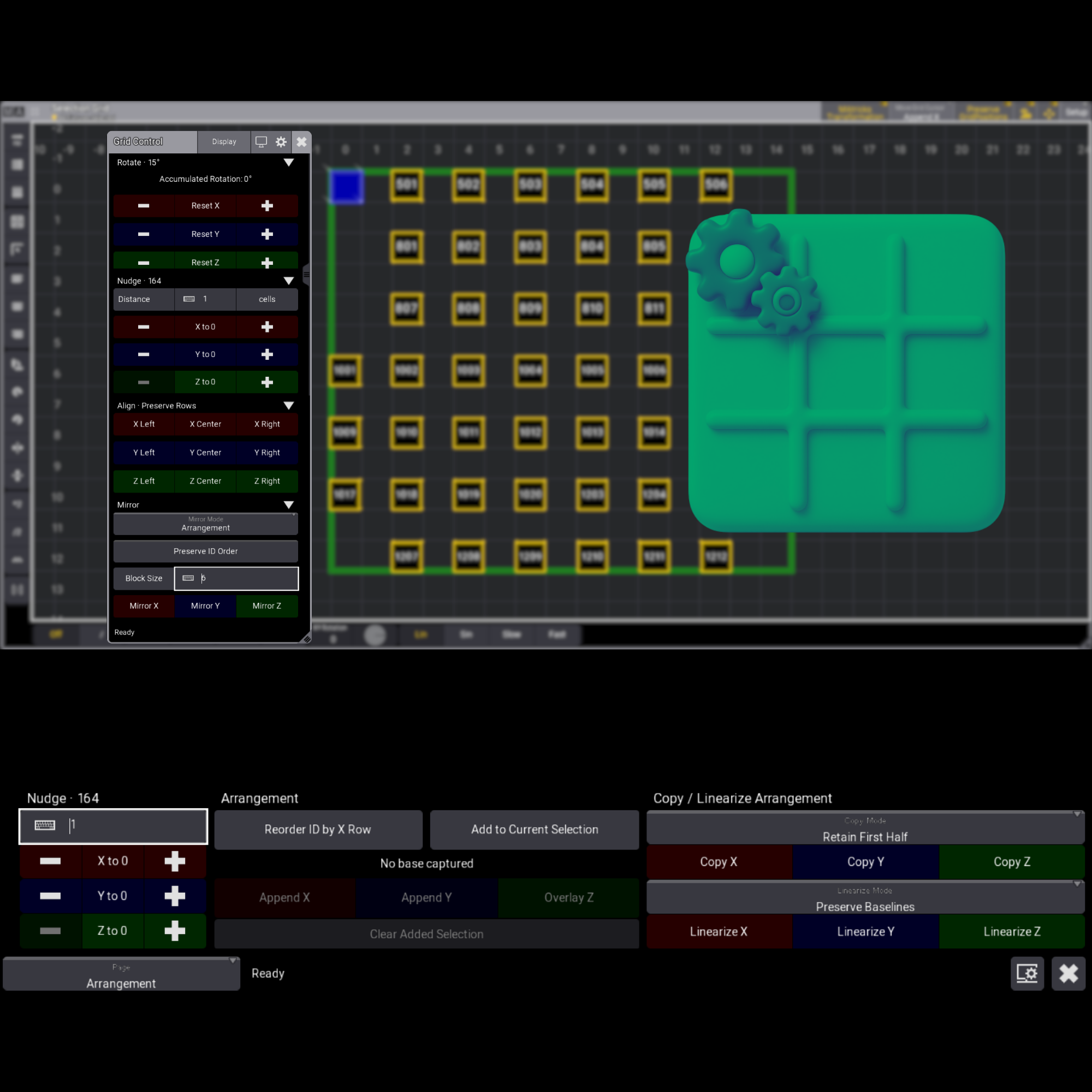
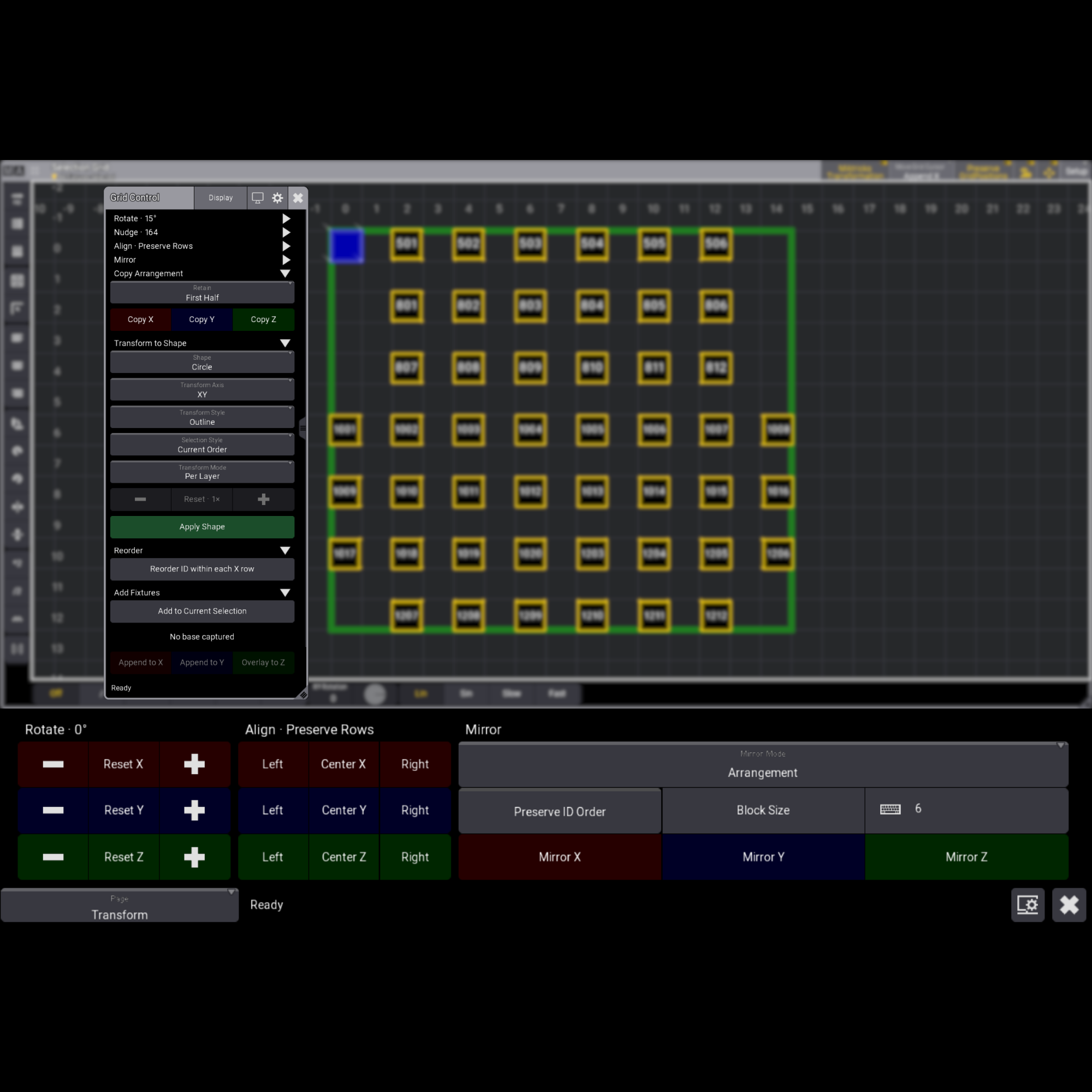
Nudge fixtures by a distance you choose, straighten selections with Linearize, or align them left, centre or right without disturbing rows on the other axes.
Give your selection a new angle
Rotate arrangements in 15-degree steps around the X, Y or Z axis.
Build your mirror image
Mirror an arrangement with the option to preserve fixture ID order, or mirror it in blocks of a size you choose.
Make a good arrangement go further
Copy the arrangement from one half of your selection to the other, choosing which half to keep as the source.
Bring selections together
Add to your current arrangement by appending along X or Y, or overlaying along Z.
Shape something new
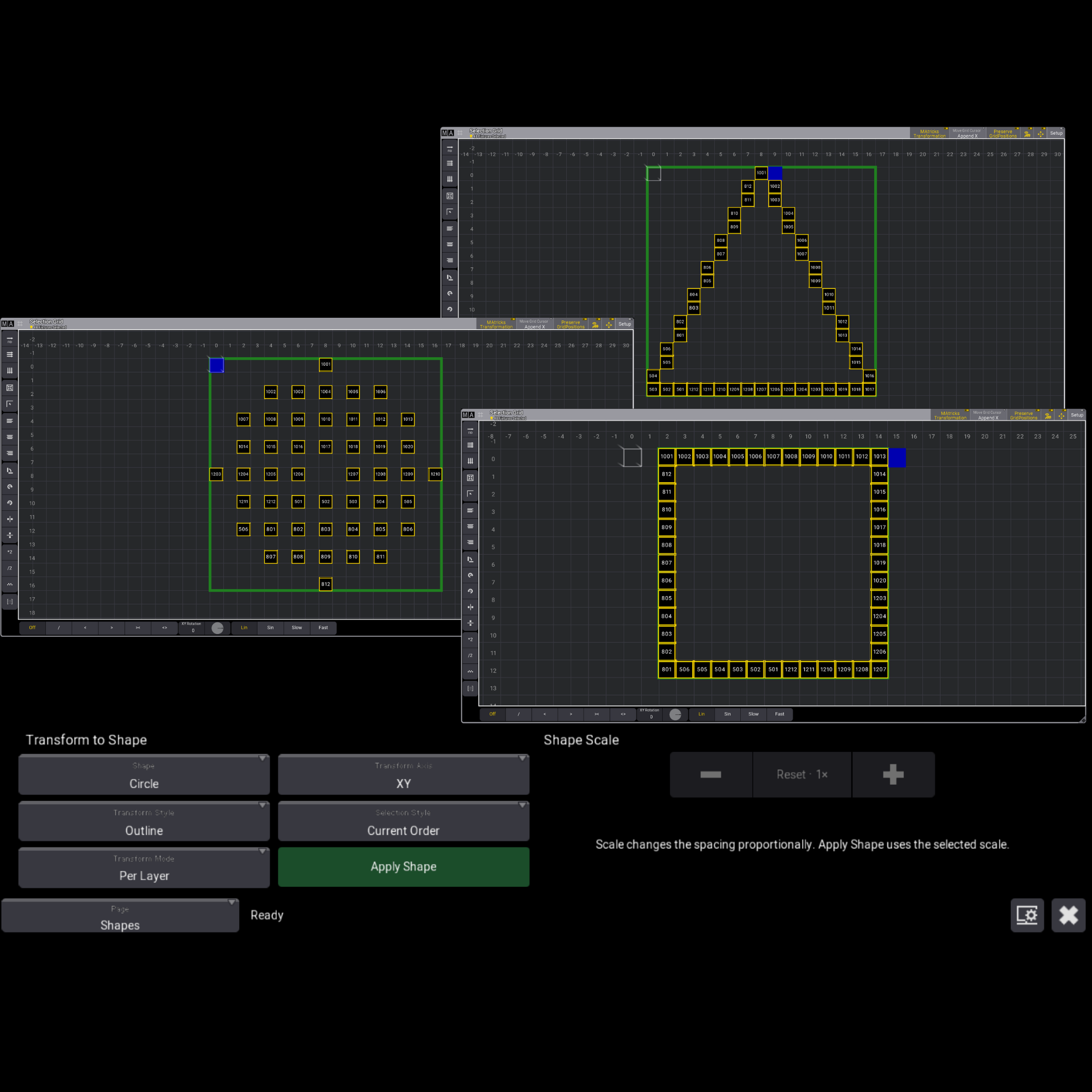
Arrange your selection into a circle, triangle or square. Choose an outline or filled shape, then transform it to your chosen axis.
Less adjusting. More creating. That’s Grid Control.
Grid Control makes arranging fixtures in grandMA3 easier, with tools to nudge, align, rotate, mirror and reshape your selection across the X, Y and Z axes. From a quick tidy-up to a whole new arrangement, keep your programming moving.
Get everything into position
Nudge fixtures by a distance you choose, straighten selections with Linearize, or align them left, centre or right without disturbing rows on the other axes.
Give your selection a new angle
Rotate arrangements in 15-degree steps around the X, Y or Z axis.
Build your mirror image
Mirror an arrangement with the option to preserve fixture ID order, or mirror it in blocks of a size you choose.
Make a good arrangement go further
Copy the arrangement from one half of your selection to the other, choosing which half to keep as the source.
Bring selections together
Add to your current arrangement by appending along X or Y, or overlaying along Z.
Shape something new
Arrange your selection into a circle, triangle or square. Choose an outline or filled shape, then transform it to your chosen axis.
Less adjusting. More creating. That’s Grid Control.