Plugin Manager brings your Matt Jones LD plugins together in one place. See what’s installed in your grandMA3 Plugin Pool, find plugin files on connected USB drives, and check for available updates without tracking each version individually.
See what you’re working with
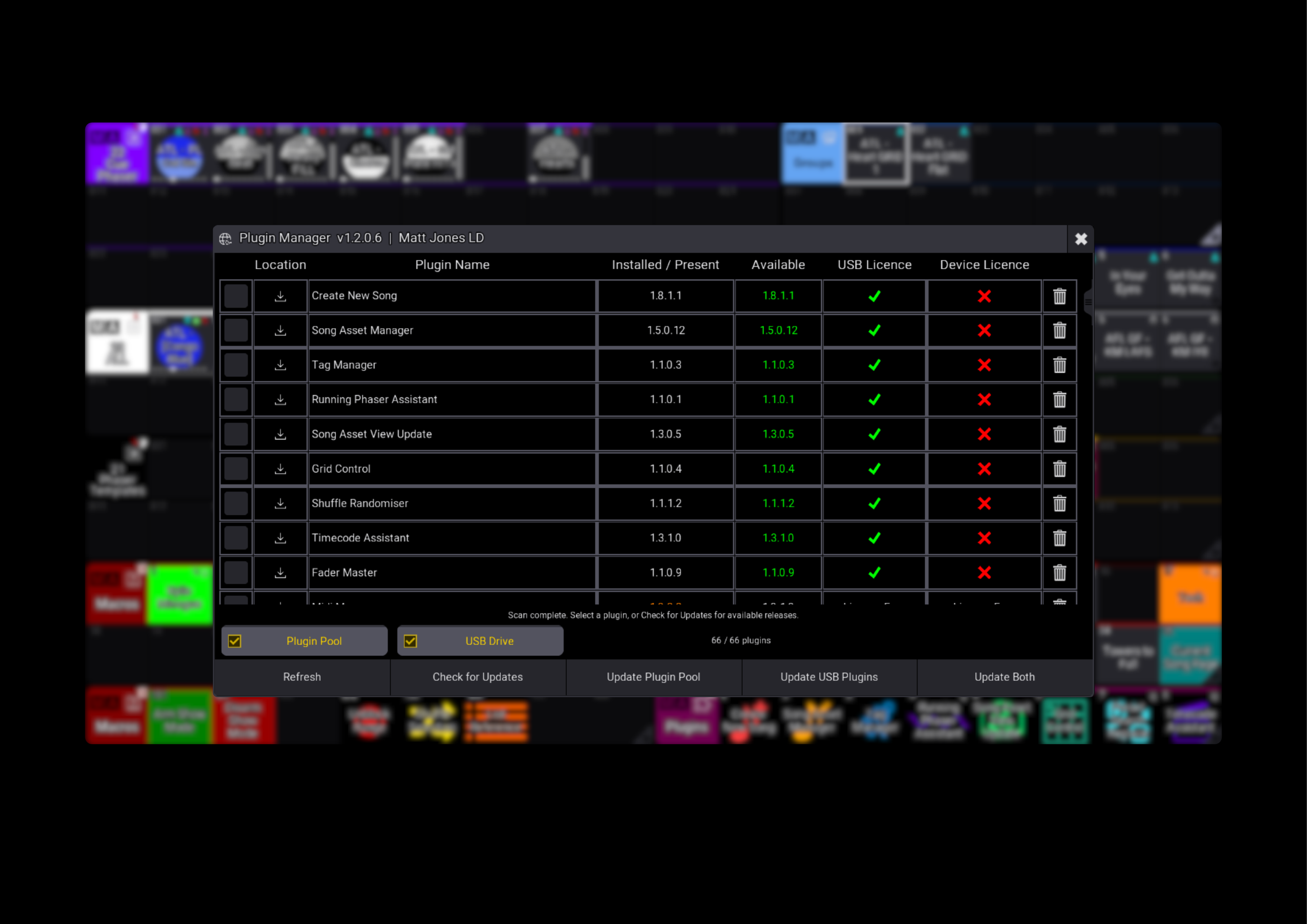
View your installed and USB plugin versions in one list, alongside available releases and local USB or Device Licence status. Filter by location to focus on the plugins you want to manage.
Keep your plugins up to date
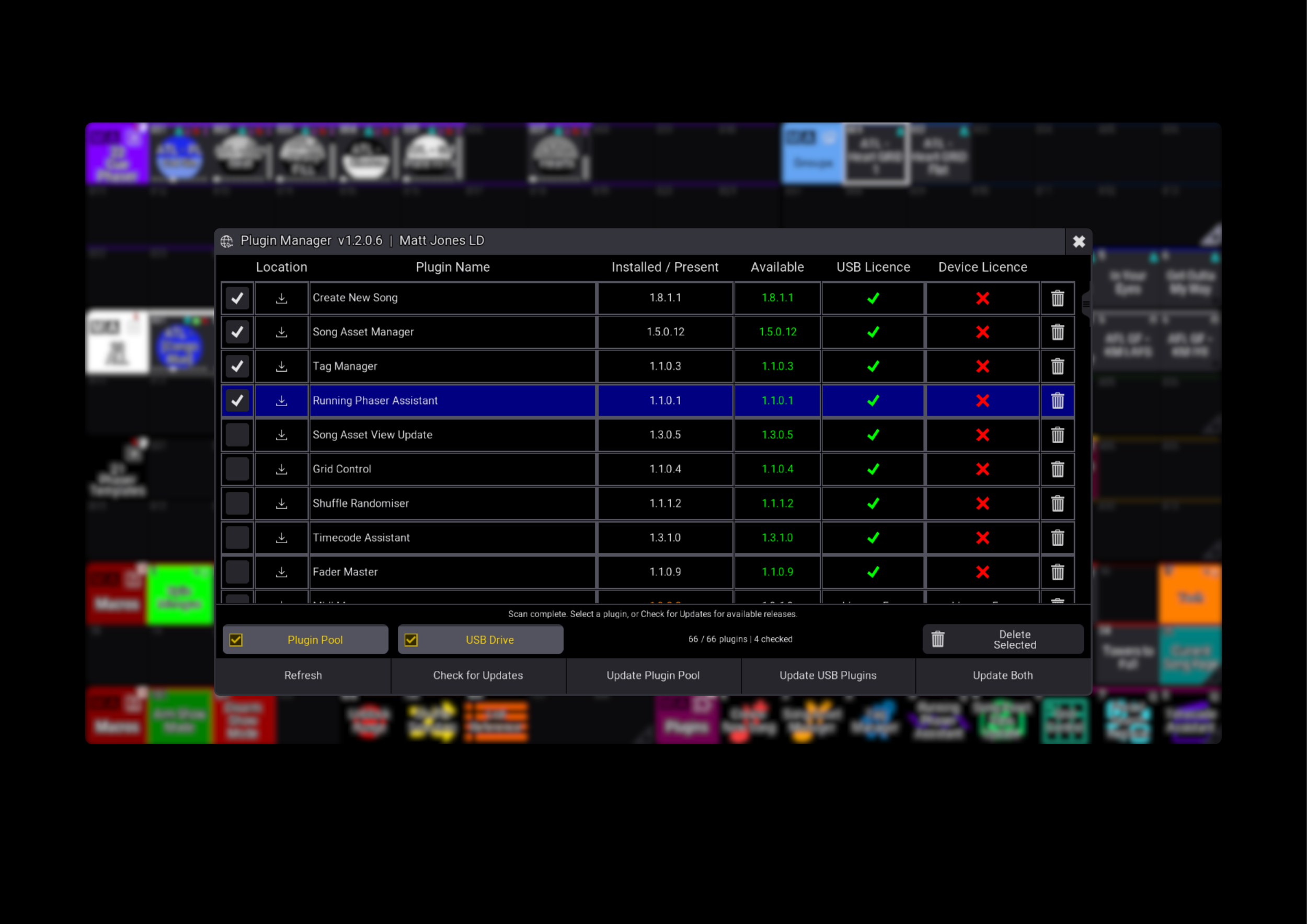
Check for updates, then update your Plugin Pool, USB plugin files or both. Select individual plugins for precise control, or leave the selection clear to update the visible plugins that have newer versions available.
Keep your USB copies ready
Update plugin files on your USB drive as well as the versions installed in your show file, helping you keep your working copies organised when moving between consoles.
Stay in control
Review the update destinations before proceeding, follow progress as updates are applied, and stop the remaining updates when needed. Previous versions are backed up during replacement, giving you a recovery option if something goes wrong.
Included with your first purchase
Plugin Manager is automatically provided to every customer with a first-time plugin purchase. This plugin is not available as a separate purchase or download.
An internet connection is required to check for and download updates. Updates for licensed plugins require an authorised USB or Device Licence.
Less admin. More programming. That’s Plugin Manager.
Plugin Manager brings your Matt Jones LD plugins together in one place. See what’s installed in your grandMA3 Plugin Pool, find plugin files on connected USB drives, and check for available updates without tracking each version individually.
See what you’re working with
View your installed and USB plugin versions in one list, alongside available releases and local USB or Device Licence status. Filter by location to focus on the plugins you want to manage.
Keep your plugins up to date
Check for updates, then update your Plugin Pool, USB plugin files or both. Select individual plugins for precise control, or leave the selection clear to update the visible plugins that have newer versions available.
Keep your USB copies ready
Update plugin files on your USB drive as well as the versions installed in your show file, helping you keep your working copies organised when moving between consoles.
Stay in control
Review the update destinations before proceeding, follow progress as updates are applied, and stop the remaining updates when needed. Previous versions are backed up during replacement, giving you a recovery option if something goes wrong.
Included with your first purchase
Plugin Manager is automatically provided to every customer with a first-time plugin purchase. This plugin is not available as a separate purchase or download.
An internet connection is required to check for and download updates. Updates for licensed plugins require an authorised USB or Device Licence.
Less admin. More programming. That’s Plugin Manager.