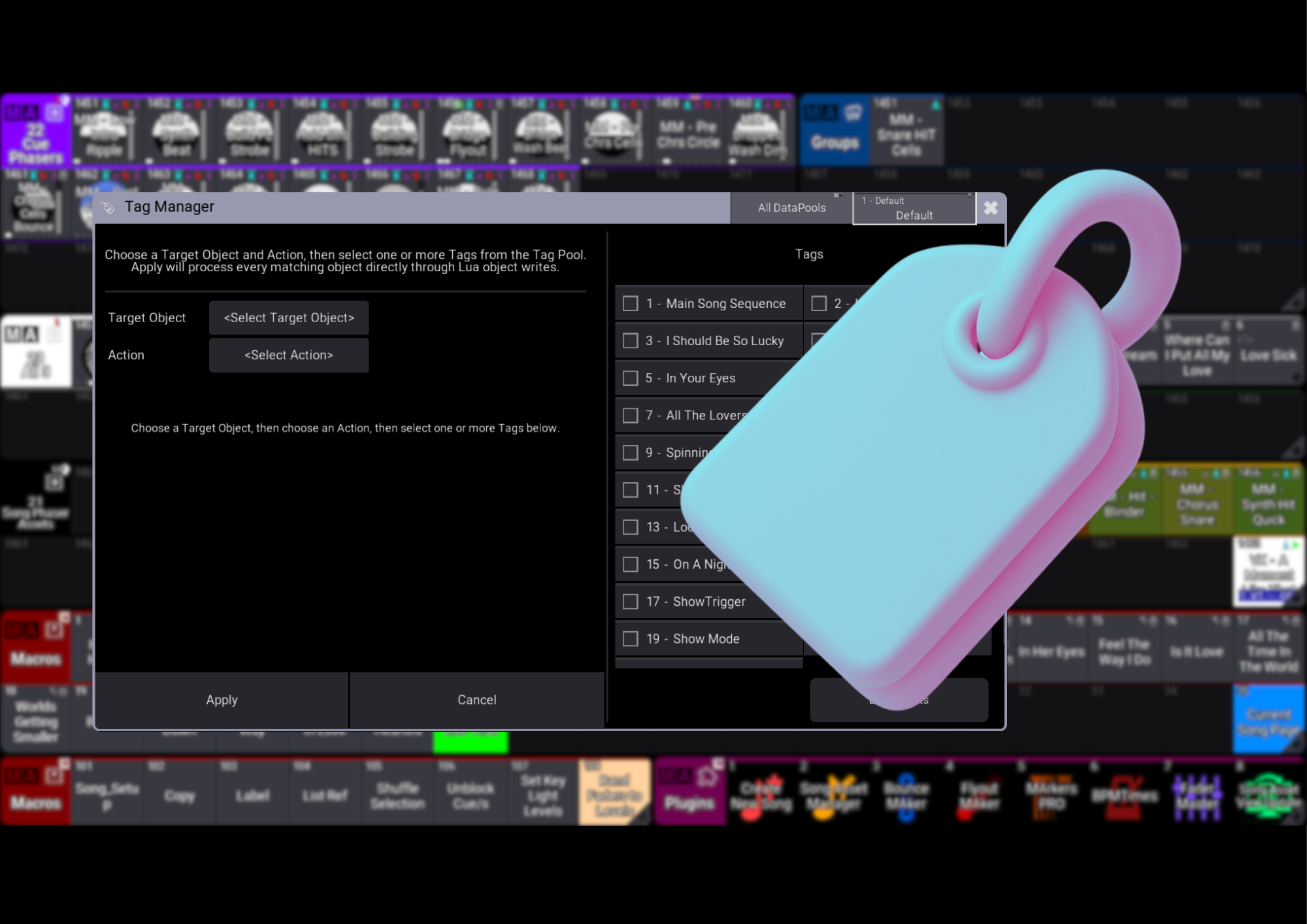


Tag it once. Put it to work across your show.
Tag Manager turns grandMA3 Tags into a practical tool for making changes in bulk. Apply settings to objects that share a Tag, manage Recipe selections, values and filters, and find related programming without searching through every pool.
Make one change go further
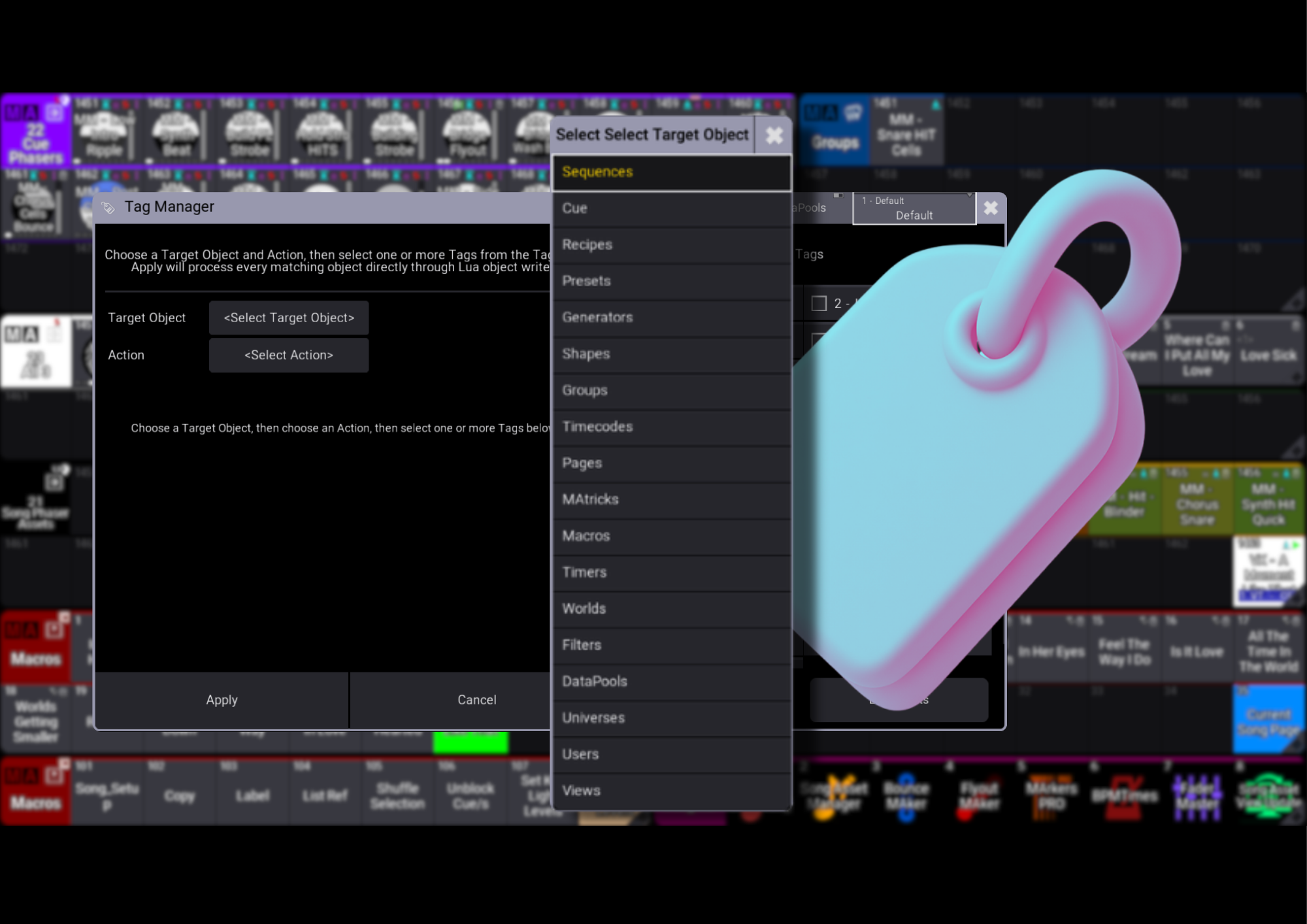
Apply settings across tagged Sequences, Cues, Presets, Timecodes, Pages and other supported objects. Spend less time repeating the same edits and keep your programming moving.
Give your Recipes a quick update
Apply selections, values or filters to Recipes that share a Tag, making it easier to adjust related programming together.
Adapt your show to the next rig
Need to adjust colour programming for fixtures without Color Mix? Tag the your programed assets like Colour Phasers, then use Tag Manager to apply your a filter to tagged Presets or their Recipe lines. A helpful solution when cloning from Colour Mix fixtures into fixtures that only have Colour Wheels! No more Colour Wheel scrolls that worked beautifully on your Colour Mix fixtures!
Find your programming faster
Use List Objects to see the objects associated with a chosen Tag and get straight to the assets you need.
Less repetition. More programming. That’s Tag Manager.
Tag it once. Put it to work across your show.
Tag Manager turns grandMA3 Tags into a practical tool for making changes in bulk. Apply settings to objects that share a Tag, manage Recipe selections, values and filters, and find related programming without searching through every pool.
Make one change go further
Apply settings across tagged Sequences, Cues, Presets, Timecodes, Pages and other supported objects. Spend less time repeating the same edits and keep your programming moving.
Give your Recipes a quick update
Apply selections, values or filters to Recipes that share a Tag, making it easier to adjust related programming together.
Adapt your show to the next rig
Need to adjust colour programming for fixtures without Color Mix? Tag the your programed assets like Colour Phasers, then use Tag Manager to apply your a filter to tagged Presets or their Recipe lines. A helpful solution when cloning from Colour Mix fixtures into fixtures that only have Colour Wheels! No more Colour Wheel scrolls that worked beautifully on your Colour Mix fixtures!
Find your programming faster
Use List Objects to see the objects associated with a chosen Tag and get straight to the assets you need.
Less repetition. More programming. That’s Tag Manager.